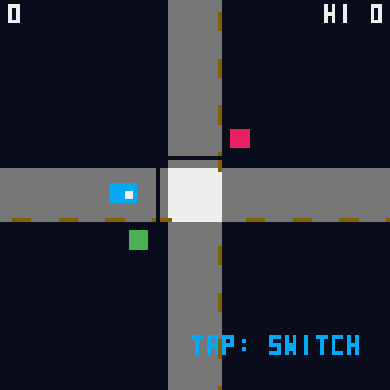
Tap to switch the green road immediately; cars beyond the white stop line keep moving even when their light turns red.
Each car leaving safely earns one point. Crossing collisions, an overflowing entrance or a car waiting thirteen seconds end the round as arrivals gradually accelerate.
Make your move
Touch or mouse: Tap: Switch the green road
Keyboard: hold Space to press, release to let go. Pointer games use the mouse.
Standard gamepad: left stick/D-pad moves the pointer, hold A to press; Start pauses. Physical hardware unverified.
A small head start
Wait until both crossing lanes are clear before switching. A red car or QUEUE warning means the other road needs attention.
Pause at any time with P/Escape or the Pause button.
This original restarts after leaving the page; only your best score is saved.
Original source and MIT notices are linked below.
Compatibility notes
Touch and keyboard controls are implemented. Physical phones, controllers and Tesla browsers await device testing.
Play style: One button. Original in-game text is English. Leaving or changing language restarts the round; personal bests remain local.